Contact Form 7
Using Contact Form 7 and ApiCheck you can validate your users' addresses before they submit a form on your website.
How does it work?
To get started, you first need to install Contact Form 7 on your WordPress site.
To validate a user's address, add an address field to your form using Contact Form 7, then use the ApiCheck API to validate the data before the form is submitted.
Install Contact Form 7 on your WordPress site
Download and activate the ApiCheck Contact Form 7 plugin
Enter your ApiCheck API key in the plugin settings
Add an address field to your form
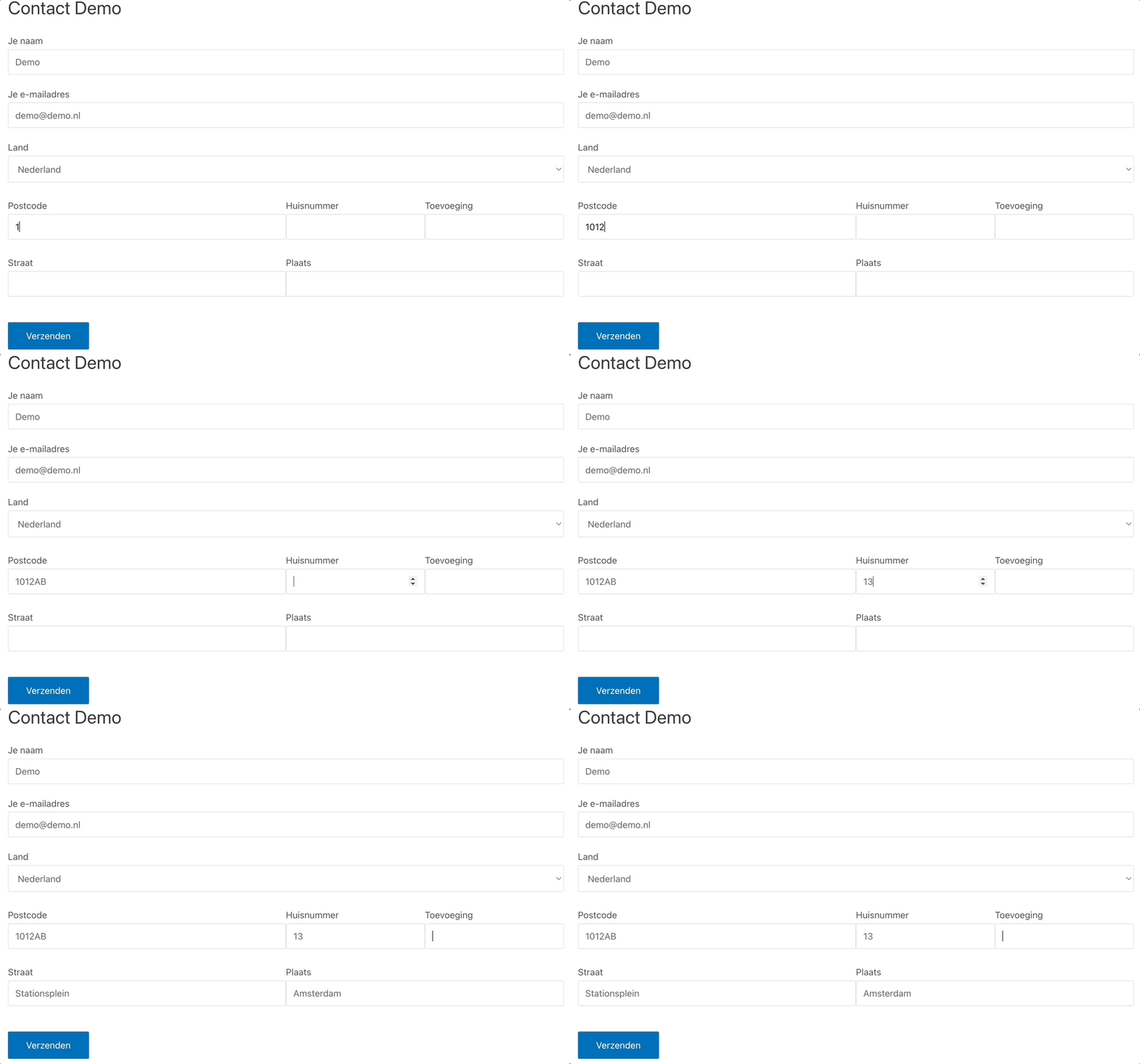
Plugin benefits
Prevent invalid address data
Validate the address as soon as the form is submitted, so no invalid addresses ever enter your system.
Simple to use
The plugin is active immediately after installation. No complex configuration required.
Avoid unnecessary costs
Incorrect addresses in your database cause problems with mail and parcel delivery. Prevent this at the source.
Improve user experience
Address completion makes filling out forms faster and easier for visitors.
Fast API response
The ApiCheck API responds instantly so visitors experience no delay when submitting forms.
Country support
The Contact Form 7 plugin currently supports the Netherlands. Support for more countries is coming soon.
Coming soon
Free to download
Add address validation to your Contact Form 7 forms. Downloading is 100% free.